Photoshop
 ZBrush
 Houdini
 Substance Painter
 Blender
 Unreal Engine
 Arnold
 Nuke
Nuke KeyShot
 V-Ray
V-Ray Marmoset Toolbag
 Mari
Mari Marvelous Designer
 Substance Designer
 3ds Max
 3DCoat
 Redshift
 Faceform Wrap
 Lightroom
 After Effects
 OctaneRender
 SpeedTree
 Daz 3D
 Agisoft Metashape
 Fusion
 Modo
Modo RealityCapture
 Gaea
Gaea Cinema 4D
 Gravity Sketch
 Premiere
 Procreate
 Clip Studio Paint
 SketchUp
 SketchBook
 Katana
 Natron
 Mudbox
 Quixel Bridge
 Quixel Megascans
 Quixel Mixer
 Substance 3D Modeler
 World Creator
 Yeti
Yeti Ziva VFX
 Mixamo
 Adobe Medium
 Quixel DDO
 xNormal
 Meshmixer
 Storyboard Pro
 DaVinci Resolve
 TreeIt
 World Machine
 Gaffer
 Corel Painter
 SynthEyes
 Krita
Krita Massive
 Materialize
 Unity
Unity Ornatrix
 PreForm
 Moi 3D
 animBot
 QuickTime
 ReCap
ReCap


















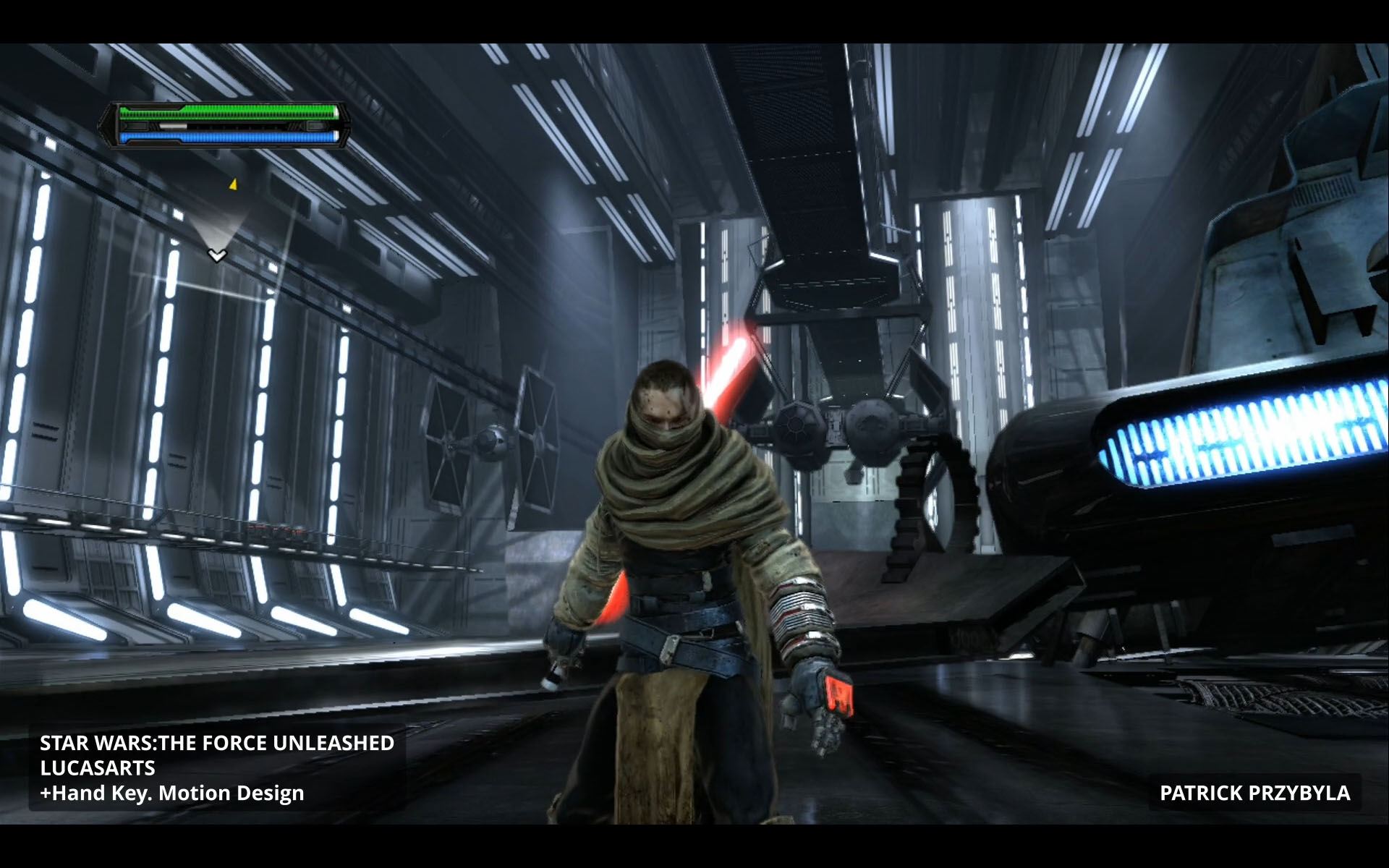
Mastering a finishing takedown animation is made easier with a professional workflow that’s been tried and tested through years of production experience. Senior Animator Patrick Przybyla has worked on a variety of AAA action titles and is now sharing his proven techniques in over three hours of detailed training.
Best suited for intermediate-level artists, this workshop kicks off in Maya, the primary animation package that Patrick has used throughout his career in games. He shares insights into his selection process when choosing rigs and models for heroes and enemies, and explains why Kiel Figgins’ rigs — as used in this workshop — are known and trusted by so many industry professionals.
Detailing the process that he uses to create production-quality animations, Patrick’s workshop shows how to set up the selected rigs, and shares how to shoot self-reference video footage to inform the block out and key poses for the animation. The lecture details how adding breakdown poses can create more structure and flow in an animation sequence and covers how to polish up a professional-looking action animation with in-between poses.
Patrick also delves into how to create a high-quality playblast that includes set dressing, lights, and shadows to help give a more professional presentation. While this workshop is aimed at intermediate artists, beginners will also appreciate the core concepts, workflow, and fundamentals that benefit anyone with a basic knowledge of animating in Maya.
9 Lessons
Patrick Przybyla introduces his workshop, which presents a comprehensive, industry-proven approach to creating combat animations for video games. His systematic method of moving from planning and reference gathering through blocking, refinement, and polish reflects professional game development practices. His workshop will deliver practical, actionable techniques for producing production-ready takedown animations.
Duration: 54s

This lesson establishes the foundational workflow for creating professional game animations in Maya, emphasizing that proper preparation is essential before beginning actual animation work. Patrick's approach demonstrates that efficient animation isn't just about creating movement, but about establishing a streamlined workflow that allows animators to focus on creativity rather than technical obstacles. By the end of this setup phase, the characters will be customized, the workspace optimized, and combat idle poses established, setting the stage for the actual takedown animation sequence.
Duration: 18m 32s

This lesson provides insight into the thought process behind creating compelling combat animations in games. Patrick demonstrates how to balance cinematic action with gameplay considerations, emphasizing the importance of clear visual feedback, rhythmic pacing, and minimal disruption to player control. His hands-on approach of physically acting out movements highlights best practices in game animation workflow.
Duration: 6m 9s

This animation lesson demonstrates a professional game animation approach that prioritizes speed and flexibility during the blocking phase. By working with minimal keyframes extracted from reference footage and pushing poses to be more dynamic than in reality, Patrick creates a strong foundation that can be quickly tested and iterated upon. His methodology reflects real production constraints where validating gameplay concepts before investing in polish is essential for efficient use of team resources and time.
Duration: 39m 55s

This lesson showcases a professional animation workflow that balances technical rigging knowledge with strong posing principles. Patrick emphasizes that reference footage is a starting point, not the end goal. The key is to extract essential poses and then refine them in 3D software to create dynamic, appealing action. By working backward from critical story moments and focusing on solid contact points, clear silhouettes, and exaggerated lines of action, animators can learn how to efficiently block complex action sequences that communicate the narrative while maintaining visual appeal.
Duration: 43m 12s

This breakdown phase is crucial for transforming rough, blocked animation into visually compelling action while maintaining the gameplay functionality established earlier. By methodically adding breakdown poses between key frames, Patrick shows how to create proper arcs, sell weight and momentum, and add textural variation that makes the motion feel natural and dynamic. The next step will be adding in-betweens to further smooth the animation and bring it to a polished, final state.
Duration: 38m 12s

This lesson provides a comprehensive workflow for creating cinematic game cameras that enhance combat animations while maintaining gameplay functionality. By combining technical camera setup with thoughtful choreography that emphasizes key action moments, animators can learn how to create engaging third-person experiences that guide player attention without sacrificing control. Patrick's use of motion trails and strategic keyframing ensures smooth camera movement that tells a clear visual story while transitioning seamlessly back to the standard gameplay perspective.
Duration: 18m 46s

This lesson demonstrates that polishing game animation is about methodical refinement rather than dramatic changes. By systematically working through sections, cleaning up arcs, adding subtle weight shifts, and maintaining awareness of both technical requirements (360° playability) and artistic goals (character contrast, appeal), animators can learn how to elevate their work to a professional standard. Patrick's emphasis on "shippable quality" from the first pass reflects the practical realities of game production, where time constraints demand efficient workflows that balance artistic excellence with production deadlines.
Duration: 27m 37s

This lesson provides animators with a practical middle ground for presenting work that looks significantly more polished than basic playblasts, without requiring full rendering workflows. By combining thoughtful environment selection, basic lighting principles, and Maya's viewport enhancement features, artists can learn how to efficiently create professional-quality presentation videos. Patrick's method is particularly valuable for showcasing animation work in progress or creating portfolio pieces when time or resources for full rendering are limited.
Duration: 11m 57s

Primary tools
For this workshop you’ll need:

* Note that these programs and materials will not be supplied with the course.
Skills Covered
Who’s this Workshop for?
This workshop is intended for character animators who want to create convincing, production-ready combat finishing moves using a clear and repeatable workflow. It is especially well suited for intermediate game animators who already understand the fundamentals of animation and want to improve the clarity, impact, and polish of action-driven character performances. Artists working on combat systems, takedowns, or cinematic gameplay moments will find the material directly applicable.
Artists with basic experience animating in Maya who are earlier in their careers can also benefit from the structured breakdown of process. The emphasis on reference, pose planning, timing, and presentation provides a strong foundation for understanding how professional-quality combat animations are developed and refined in a production setting.
Learning Outcomes
By completing this workshop, artists will be able to:
- Plan and execute a complete finishing takedown animation using a structured production workflow
- Evaluate and prepare character rigs and models for action-oriented animation sequences
- Capture and apply self-reference footage to inform believable poses, timing, and physicality
- Build strong animation structure through clear blocking, key poses, and breakdown poses
- Refine motion with in-between poses to improve flow, weight, and overall polish
- Present animations professionally using well-staged playblasts with lighting and scene context
- Apply consistent animation practices suitable for action-focused game production