Maya
Maya ZBrush
 Houdini
 Substance Painter
 Blender
 Unreal Engine
 Arnold
 Nuke
Nuke KeyShot
 V-Ray
V-Ray Marmoset Toolbag
 Mari
Mari Marvelous Designer
 Substance Designer
 3ds Max
 3DCoat
 Redshift
 Faceform Wrap
 Lightroom
 After Effects
 OctaneRender
 SpeedTree
 Daz 3D
 Agisoft Metashape
 Fusion
 Modo
Modo RealityCapture
 Gaea
Gaea Cinema 4D
 Gravity Sketch
 Premiere
 Procreate
 Clip Studio Paint
 SketchUp
 SketchBook
 Katana
 Natron
 Mudbox
 Quixel Bridge
 Quixel Megascans
 Quixel Mixer
 Substance 3D Modeler
 World Creator
 Yeti
Yeti Ziva VFX
 Mixamo
 Adobe Medium
 Quixel DDO
 xNormal
 Meshmixer
 Storyboard Pro
 DaVinci Resolve
 TreeIt
 World Machine
 Gaffer
 Corel Painter
 SynthEyes
 Krita
Krita Massive
 Materialize
 Unity
Unity Ornatrix
 PreForm
 Moi 3D
 animBot
 QuickTime
 ReCap
ReCap


















16 Lessons
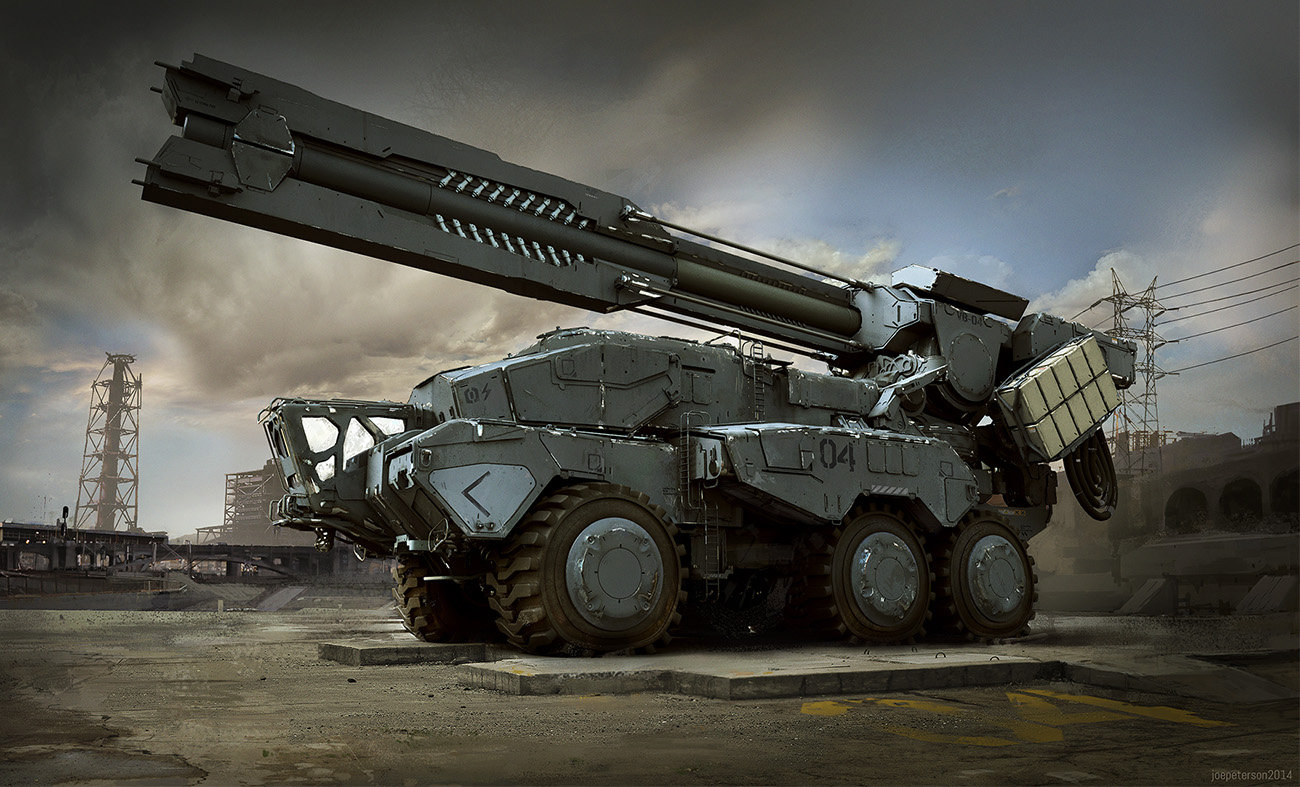
In this workshop, Joe Peterson sets out an approach to mechanical character design that grounds futuristic concepts in existing technology. Through careful planning, reference gathering, and by making thoughtful design choices, he ensures that the final design feels like a natural evolution of current technology.
Duration: 6m 43s

This lesson highlights experimentation during rough sketching. The ability to transform proportions and silhouettes enables artists to create designs that have a stronger visual impact. The key is to resist becoming attached to initial sketches, instead treating them as malleable foundations that should be pushed, tested, and refined until the overall composition conveys the energy desired.
Duration: 11m 39s

This lesson illustrates how to balance multiple objectives while designing a character. Artists should keep in mind that successful concept design involves constant experimentation with form, thoughtful consideration of how details communicate function and origin, and begin by working from rough shapes. These methods lay the foundation for creating believable characters.
Duration: 10m 52s

This lesson demonstrates an exploratory approach to mechanical character design where functionality and visual storytelling guide design choices. Joe combines technical-looking detail with fundamental design principles, creating a mech that feels both purposeful and visually interesting. By thinking about how the character moves and what conditions it operates in, he creates a design that conveys its function at a glance.
Duration: 15m 18s

This lesson emphasizes that effective character design balances simplicity and complexity. Rather than creating a fully armored robot, Peterson leaves certain mechanical elements exposed to convey a more aggressive character. The willingness to experiment and constantly evaluate the design from different perspectives leads to a more dynamic and believable result.
Duration: 10m 6s

This lesson showcases the extensive refinement and thoughtful decision-making required in character design. Joe balances aesthetic appeal with functional storytelling, creating a mech that communicates its purpose as both a combat-ready unit and a law enforcement tool. The attention to experimentation, proportional balance, and meaningful design choices demonstrates a professional approach to concept art that prioritizes both form and function.
Duration: 10m 51s

This lesson focuses on restraint in concept design. Rather than making everything as advanced as possible, mixing contemporary military technology with futuristic elements creates more believable and relatable sci-fi designs. By understanding that technology doesn't advance uniformly, concept artists can better control where their design sits in time and make it more convincing to viewers.
Duration: 12m 4s

This lesson emphasizes that successful concept art requires balancing technical knowledge with creative freedom. Joe’s design for a mechanically impossible weapon system remains convincing due to his understanding of how real weapons function. Artists should research and understand real-world mechanics to maintain credibility with audiences, even when creating fictional technology.
Duration: 13m 5s

This lesson presents an approach to rendering hard-surface mechanical designs by building up complexity through layers. The industrial design technique of lighting facets proves effective for blocky, mechanical forms. While admittedly tedious and not scientifically accurate, this process of establishing ambient occlusion, base colors, shading, and metallic highlights creates convincing depth and dimensionality when presenting concept art.
Duration: 15m 10s

In this lesson, Joe begins the transition from sketch to finished concept. While the process is painstaking and time-consuming, the accumulation of small details is what transforms a sketch into a functional-looking machine. The main takeaway is that successful mechanical design comes both from studying real-world references and being willing to invest significant time in the detail work that makes invented machinery feel engineered and purposeful.
Duration: 13m 35s

This lesson demonstrates how important it is for artists to remain flexible and be willing to make large changes, even later in the design process. Joe’s approach to rendering and attention to functional details creates more believable and cohesive designs, grounding sci-fi concepts into real-world military hardware. While the rendering process is time-consuming, it makes it possible to fully visualize how all elements work together as a complete, production-ready concept.
Duration: 13m 39s

This lesson explains how to tackle intimidating design elements by breaking them into manageable components. Artists should focus on creating convincing visual representations through the use of custom tools, reference material, and knowing when the result is ‘good enough’. This process highlights how understanding the essence of an object can inform artistic decisions that result in functional-looking designs without getting bogged down in unnecessary precision.
Duration: 15m 46s

This lesson emphasizes that creating convincing mechanical concept art relies heavily on repetitive refinement and detailing. Even made-up mechanical elements can be made to appear authentic through consistent application of real-world details like bevels, connection points, and material variation. Rather than being cheap or easy tricks, these techniques improve the believability of concept designs.
Duration: 12m 38s

This lesson demonstrates that thoroughness and attention to detail are more important than rushing to completion. Good design requires constantly evaluating whether each element serves the character's intended function, even if that means revisiting areas you thought were finished.
Duration: 11m 52s

This lesson demonstrates how thoughtful application of decals transforms a fictional design into something that feels tangible and real. By borrowing visual language from real-world military equipment, industrial machinery, and safety signage, artists can make imaginary machines feel believable. Small, realistic details can significantly impact how convincing a design feels to viewers.
Duration: 14m 45s

The final lesson of the workshop demonstrates how thoughtful lighting can elevate a design from good to presentation-ready. While many of the techniques shown aren't physically accurate, they serve the primary goal of effectively showcasing the design in a studio-style presentation.
Duration: 13m 12s

Primary tools
For this workshop you’ll need:

* Note that these programs and materials will not be supplied with the course.
Skills Covered
Who’s this Workshop for?
This workshop is designed for intermediate to advanced concept artists and designers who want to strengthen their mechanical design skills. Joe Peterson's training is for entertainment industry professionals working on sci-fi projects, games, or films requiring believable designs.
Character designers, vehicle artists, and prop designers will also benefit from Joe's approach. The workshop provides essential skills for balancing creativity with functional design, helping artists create mechanical designs that serve both aesthetic and narrative purposes in professional productions.
Learning Outcomes
On completing this workshop, artists will have a comprehensive methodology for creating story-driven mechanical designs that balance imaginative elements with real-world functionality.
Key skills include:
- How to develop mechanical designs from initial story concepts and narrative requirements.
- How to gather and utilize reference materials effectively for believable designs.
- How to establish appropriate levels that guide consistent design decisions throughout.
- How to balance imaginative, creative elements with practical, real-world mechanical design principles.
- How to communicate function and purpose through visual design elements and details.
- How to refine sketches through multiple iterations from concept to final rendered design.