Photoshop
 Maya
Maya ZBrush
 Houdini
 Substance Painter
 Blender
 Unreal Engine
 Arnold
 Nuke
Nuke KeyShot
 V-Ray
V-Ray Marmoset Toolbag
 Mari
Mari Marvelous Designer
 Substance Designer
 3ds Max
 3DCoat
 Redshift
 Faceform Wrap
 Lightroom
 After Effects
 OctaneRender
 SpeedTree
 Daz 3D
 Agisoft Metashape
 Fusion
 Modo
Modo RealityCapture
 Gaea
Gaea Cinema 4D
 Gravity Sketch
 Premiere
 Procreate
 Clip Studio Paint
 SketchUp
 SketchBook
 Katana
 Natron
 Mudbox
 Quixel Bridge
 Quixel Megascans
 Quixel Mixer
 Substance 3D Modeler
 World Creator
 Yeti
Yeti Ziva VFX
 Mixamo
 Adobe Medium
 Quixel DDO
 xNormal
 Meshmixer
 Storyboard Pro
 DaVinci Resolve
 TreeIt
 World Machine
 Gaffer
 Corel Painter
 SynthEyes
 Krita
Krita Massive
 Materialize
 Unity
Unity Ornatrix
 PreForm
 Moi 3D
 animBot
 QuickTime
 ReCap
ReCap


















There are many approaches for designing characters for the screen. Industry veteran Aaron Sims details two of his tried-and-trusted workflows for creating iconic concept designs for film and TV, using Photoshop and ZBrush. As well as guiding you through his production-proven techniques, Aaron shares his thoughts on the importance of conveying personality and character through designs and shares some of the key lessons he’s learned over his 35-year career.
Beginning with a 2D workflow in Photoshop, Aaron walks through his personal approach to visualizing a mutated character, using photo-bashing techniques that skillfully cut, splice, and warp multiple layers of human, creature, and organic elements to craft a completely unique design. Discussing the reasons behind his decisions at every step, the lecture details not only how to master photo manipulation for incredible results but also why the techniques and outcomes are his chosen workflows for likenesses, prosthetics, and digital augmentations.
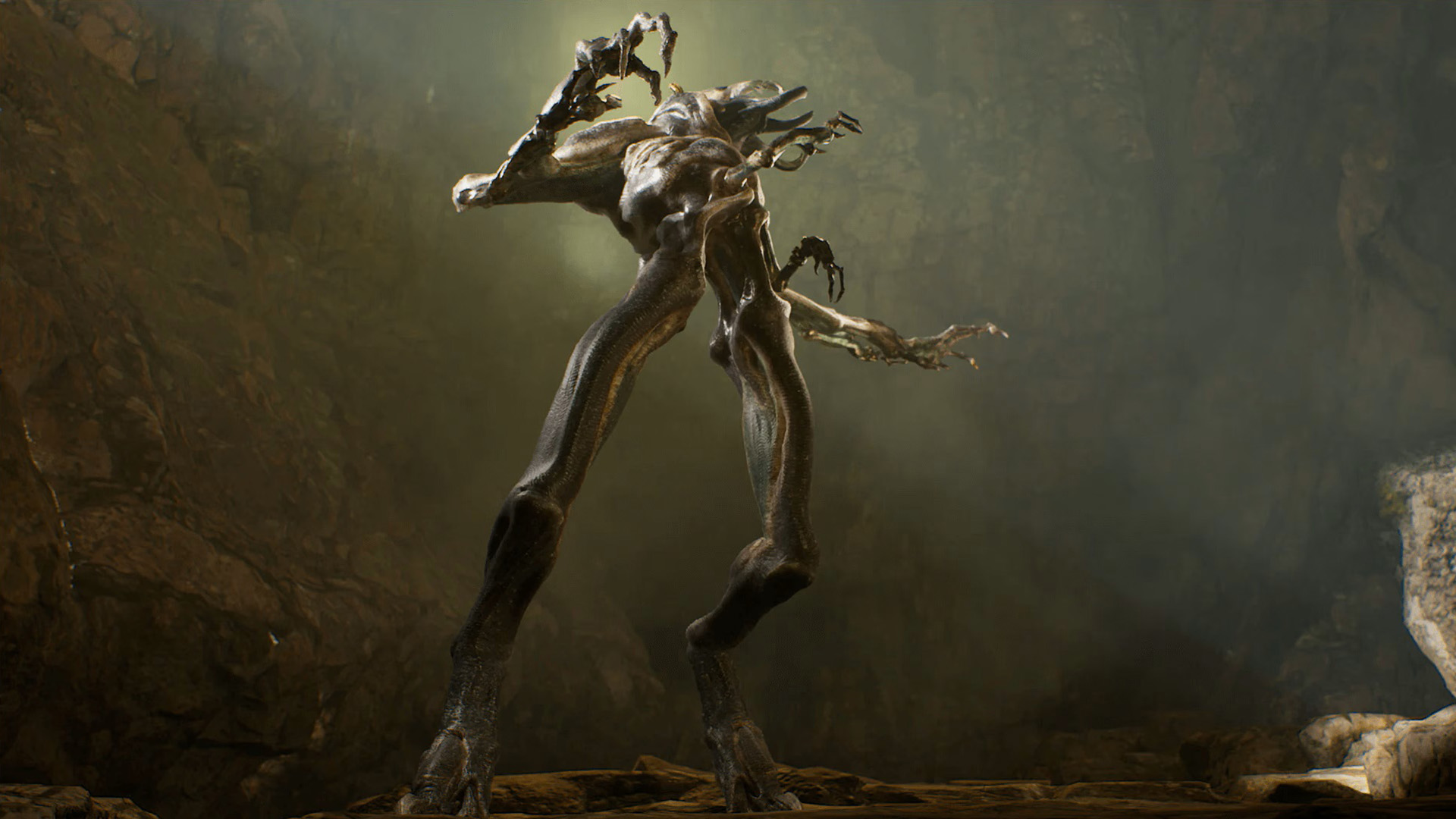
Today, artists can create any creature or character imaginable with the tools at their disposal. The second part of the two-hour workshop dives into ZBrush to develop a fully realized and dimensionalized alien character. Explaining why this approach serves well for full-CG characters, Aaron shares his ZBrush workflow, from base mesh to final bust, discussing the importance of anatomy, how to create points of interest in 3D designs, and how to push the envelope to create designs while still creating something an audience can relate to. The 3D workflow concludes with rendering techniques in KeyShot, pushing the settings and playing with various lighting scenarios, before finalizing the design in Photoshop.
7 Lessons
Aaron Sims' career represents the complete evolution of creature design in Hollywood, from hands-on practical effects to sophisticated digital artistry. His journey illustrates how technological advancement has expanded creative possibilities while emphasizing that successful creature design still relies on understanding character psychology and human connection. His comprehensive "sketch to screen" methodology, which he developed, has become an industry standard for translating imaginative concepts into believable screen characters.
Duration: 26m 5s

Aaron describes how the key to successful character design is to strategically consider workflow efficiency rather than defaulting to a single, isolated approach. By analyzing factors such as final implementation (prosthetic vs. digital), available reference materials, and creative requirements upfront, artists can choose the most appropriate method and avoid unnecessary iterations. The goal is always to serve the story and the director's vision while working as efficiently as possible.
Duration: 7m 22s

This lesson demonstrates that effective concept art isn't just about technical skill, but about storytelling through visual design. Aaron shows how photo-bashing can quickly communicate complex character concepts to directors and production teams while maintaining photorealistic quality. His key takeaway is that concept artists must balance artistic exploration with commercial efficiency, creating compelling characters that serve the story while working within project constraints and timelines.
Duration: 33m 13s

This lesson demonstrates how powerful modern 3D sculpting tools, such as ZBrush, can rapidly transform basic human forms into compelling alien characters. The key to successful creature design lies in understanding fundamental anatomy and systematically working through the blocking, detailing, and texturing phases. By maintaining focus on character expressiveness and believable (though altered) anatomical relationships, artists can create creatures that feel both alien and emotionally engaging for film and digital media applications.
Duration: 36m 48s

This texturing approach combines technical ZBrush skills with artistic understanding of natural skin characteristics. By starting with a neutral base and systematically adding color variations that mimic real anatomical features, the instructor creates convincing organic textures. The back-and-forth workflow between ZBrush and KeyShot ensures the final render maintains the subtle details that might otherwise be lost in translation between software packages.
Duration: 30m 53s

This lesson effectively demonstrates how modern 3D workflows can produce professional character renders with minimal post-processing. The seamless integration between ZBrush and KeyShot allows artists to iterate quickly on both sculpting and rendering decisions, while strategic use of Photoshop for final touches maximizes the quality of the 3D foundation. Aaron's approach of keeping most work in 3D while using 2D tools sparingly represents an efficient pipeline for character concept development.
Duration: 22m 3s

Aaron discusses the importance of choosing between 3D and 2D design methods strategically, based on the final implementation of the character. While 3D modeling provides superior asset consistency and reduces interpretation errors for CG characters, traditional 2D methods remain more practical for prosthetic-based characters, especially when working with actor likenesses. The key is understanding the production pipeline and selecting the approach that best serves the project's specific needs.
Duration: 4m 37s

Primary tools
For this workshop you’ll need:
Skills Covered
Who’s this Workshop for?
This workshop is designed for intermediate to advanced concept artists, character designers, and VFX artists working in film and television. Artists with foundational knowledge of Photoshop and ZBrush who want to elevate their character creation skills will find Aaron's production-proven techniques invaluable for their professional development.
Freelance illustrators, game artists, and students pursuing careers in entertainment design will also benefit significantly from this workshop. They'll gain insight into industry-standard workflows, learn to balance creativity with audience relatability, and understand the strategic thinking behind 2D versus 3D approaches for different project requirements.
Learning Outcomes
By completing this workshop, artists will master two comprehensive character design workflows used extensively in professional film and television production.
Key skills include:
- How to execute advanced photo-bashing techniques for creating mutated character concepts in Photoshop.
- How to strategically combine human, creature, and organic elements into cohesive character designs.
- How to develop fully realized 3D alien characters from base mesh to final bust.
- How to apply anatomical knowledge effectively when designing fantastical creatures and characters.
- How to create compelling points of interest in 3D character designs using ZBrush.
- How to render character concepts professionally using KeyShot lighting and material techniques.
- How to choose between 2D and 3D workflows based on project requirements.
- How to balance creative innovation with audience relatability in character design decisions.