Photoshop
 ZBrush
 Houdini
 Substance Painter
 Blender
 Unreal Engine
 Arnold
 Nuke
Nuke KeyShot
 V-Ray
V-Ray Marmoset Toolbag
 Mari
Mari Marvelous Designer
 Substance Designer
 3ds Max
 3DCoat
 Redshift
 Faceform Wrap
 Lightroom
 After Effects
 OctaneRender
 SpeedTree
 Daz 3D
 Agisoft Metashape
 Fusion
 Modo
Modo RealityCapture
 Gaea
Gaea Cinema 4D
 Gravity Sketch
 Premiere
 Procreate
 Clip Studio Paint
 SketchUp
 SketchBook
 Katana
 Natron
 Mudbox
 Quixel Bridge
 Quixel Megascans
 Quixel Mixer
 Substance 3D Modeler
 World Creator
 Yeti
Yeti Ziva VFX
 Mixamo
 Adobe Medium
 Quixel DDO
 xNormal
 Meshmixer
 Storyboard Pro
 DaVinci Resolve
 TreeIt
 World Machine
 Gaffer
 Corel Painter
 SynthEyes
 Krita
Krita Massive
 Materialize
 Unity
Unity Ornatrix
 PreForm
 Moi 3D
 animBot
 QuickTime
 ReCap
ReCap


















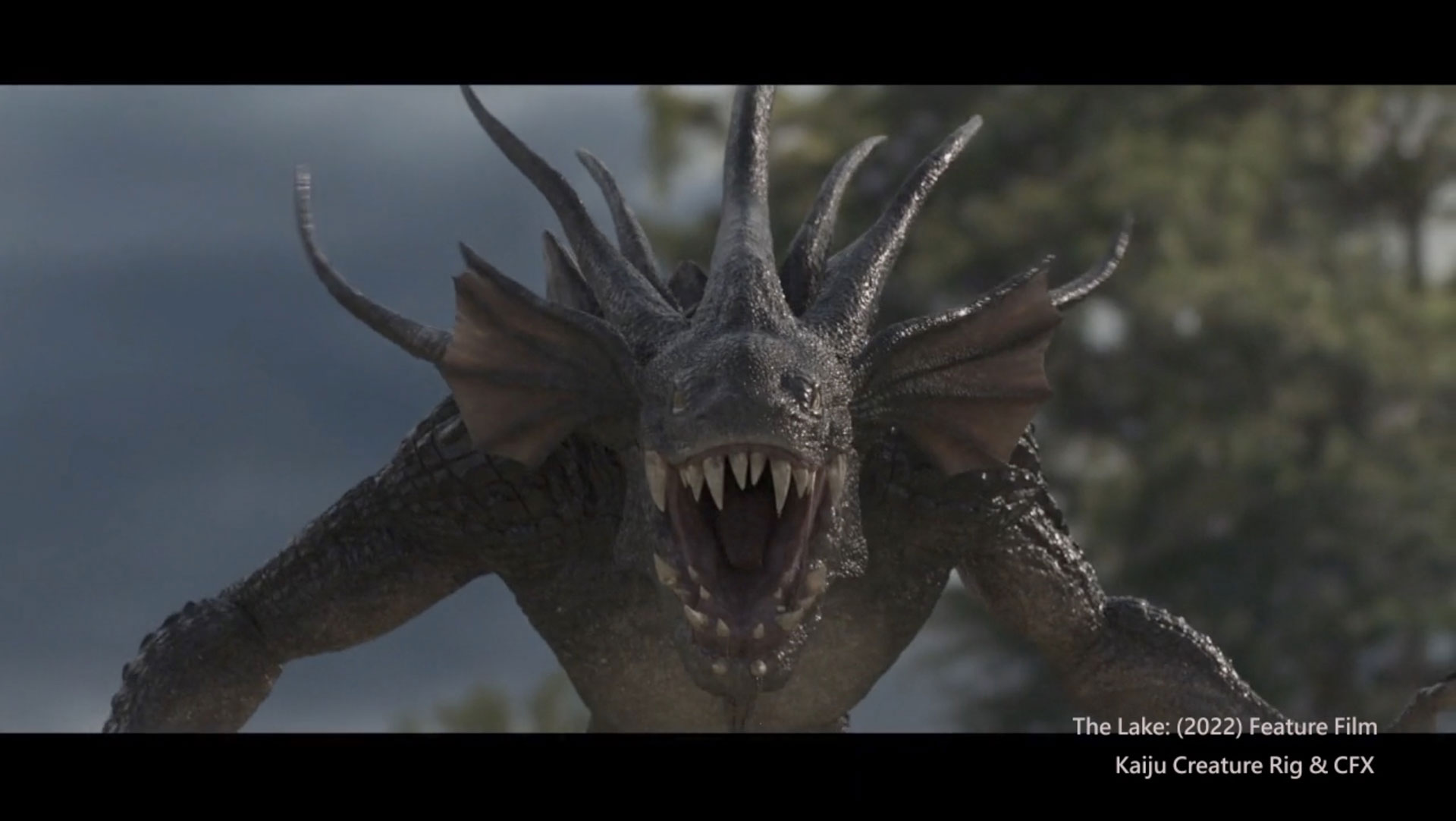
Improve the quality of your rigs with this professional guide to creating quadruped rigs. In this 6.5-hour workshop, Paween Sarachan shares the tips and tricks he’s learned to create user-friendly rigs while working alongside experienced professional animators in VFX production. The rigging system featured in this workshop was developed while working with Chalermphol Wattanawongtrakool, Senior Animator at Framestore, and Colin McEvoy, Animation Supervisor at DNEG. It has been tried and tested to meet the highest quality production standards while being animator-friendly.
This workshop begins from the basics and works through the creation of the final main-body rigs in a step-by-step process. One of the key components of this workshop is creating the realistic spine, which gives a final output that you’ll see used in VFX production — all without the need for any plugins. You’ll learn how to use the helper Python script to create the generic control rig and how to create a Spline-IK system with realistic behavior to push and pull the chest and pelvis, allowing all components to move together efficiently.
Parween also instructs how to create the FK/IK switch setup for the limbs, as well as the IK stretch setup, and the double FK control structure technique for the toe setup. You’ll learn the Limb Lock technique, the scapula auto aim setup, and discover Parween’s belly trick setup with cMuscleSmartConstraint node. He also covers the skinning weight technique using Maya’s skinning tools.
Included with this workshop is the model used and tested by the talented Colin McEvoy.
11 Lessons
Paween Sarachan begins his workshop with a lesson that establishes how a well-designed naming convention is foundational for efficient rigging workflows. By implementing a structured, underscore-separated naming system with up to five index elements, rigging artists can write flexible Python scripts to automate repetitive tasks such as creating joint chains and controls. Paween's practical examples demonstrate how proper naming enables batch operations and dynamic object manipulation, ultimately saving significant time and reducing errors in the rigging process.
Duration: 16m 26s

This lesson establishes a professional control structure foundation that balances technical requirements with animator usability. By understanding the manual process first and then leveraging Python automation, rigging artists can learn how to efficiently create consistent, well-organized controls throughout a full-body rig. Paween's modular approach — with nested transform groups and the gimbal control layer — demonstrates industry-standard practices that provide animators with clean, predictable controls while giving rigging artists the flexibility needed for complex constraint setups and space switching.
Duration: 34m 13s

This lesson provides a comprehensive workflow for creating a production-ready spine rig with both artistic control and technical flexibility. The combination of stretchy and non-stretchy systems, properly weighted CV curve skinning, and the advanced twist solution creates a robust spine setup suitable for realistic quadruped animation. Paween's methodical approach to naming conventions and node organization ensures the rig remains maintainable and scalable for complex character rigs.
Duration: 41m 30s

This lesson presents a production-ready spine rig system that balances animator control with technical sophistication. The dual-direction IK setup with blendable stretch and anchor functions offers flexibility across a range of animation scenarios, from subtle breathing to extreme poses. By implementing proper global scaling and organizing controls hierarchically, the rig maintains stability across different use cases. Paween's demonstrated modular approach (with separate systems for primary controls, stretch functions, and secondary tangent controls) provides a robust foundation that will be extended in future lessons to include neck, head, and breathing-shape controls.
Duration: 47m 48s

This comprehensive rigging lesson demonstrates advanced constraint techniques for creating flexible spine, belly, and head controls. The key to Paween's innovation is the use of blended constraints rather than direct parent relationships to achieve natural deformation and volume preservation. The space-switching setup for the head also provides animators with essential local/world options while maintaining proper orientation relationships, completing the upper-body rigging foundation before moving on to leg setup in the next lesson.
Duration: 39m 28s

This comprehensive leg-rigging lesson demonstrates professional techniques for creating a production-ready character leg rig. Paween's multi-layered approach combines FK and IK systems with seamless blending, realistic deformation through aim joints, and intuitive animator controls, resulting in a versatile rig capable of both mechanical precision and organic movement. The hierarchical foot-roll system and pole-vector setup give animators the flexibility needed for a wide range of leg animations while maintaining anatomically correct behavior.
Duration: 42m 23s

This lesson provides a comprehensive workflow for creating a professional-grade leg rig with flexibility for animators. Paween's setup includes essential features like FK/IK switching, space switching, and stretchy IK with both automatic and manual controls. His demonstrated modular approach can be replicated for all character legs, with minor adjustments for anatomical differences, such as front-leg pull vector directions. This foundational leg setup prepares the rig for the next phase of development, which will cover scapula rigging.
Duration: 41m 32s

This lesson provides a comprehensive workflow for creating a production-ready scapula rig with advanced features commonly needed in quadruped character animation. The combination of auto-rotate and limb lock attributes gives animators flexible control over shoulder behavior, allowing the scapula to automatically follow leg movement when needed or maintain a grounded, realistic position during contact poses. Proper organization and troubleshooting of constraint hierarchies ensures the rig functions reliably across different animation scenarios.
Duration: 27m 5s

This lesson presents a professional-grade toe-rigging solution using the double FK structure technique, which elegantly solves the common problem of losing FK behavior when constraining controls to a moving hierarchy. By implementing this setup with organized grouping, custom attributes, and a main control system, animators can learn how to gain both detailed control over individual toes and convenient high-level controls for common toe movements. Once completed for one leg, this setup can be replicated across all legs to complete the character's full body rig.
Duration: 27m 28s

This lesson demonstrates advanced rigging techniques essential for creating production-ready character rigs. The combination of aim constraints for eyes, twist joint systems for natural limb deformation, and proper space switching provides animators with intuitive controls while maintaining realistic deformation. Paween's bug fix for the head's local space underscores the importance of separating translational and rotational data in constraint hierarchies, a crucial concept in professional rigging.
Duration: 34m

Paween's methodical skinning approach prioritizes organization and cleanliness by working progressively through the joint hierarchy while locking completed sections. By preventing weight spillage between non-adjacent joints and maintaining proper volume preservation through careful smoothing, this technique produces clean, predictable deformations. His workflow can be applied to any character and helps avoid common skinning issues that arise from working on multiple areas simultaneously.
Duration: 41m 16s

Primary tools
For this workshop you’ll need:

* Note that these programs and materials will not be supplied with the course.
Project Files
When you download the workshop files, you'll get access to Paween Sarachan's rigging project. Inside, you'll find:
- Maya project file (.ma) – The model used and tested by the talented Colin McEvoy
- Script files (.py, .pyc) - Provided script files for automating repetitive processes
- Readme (.md) - An essential readme file for GitLab guide and Paween's recommended steps - These project files have been provided by the instructor to make it easier to follow along with the workshop. –
Skills Covered
Who’s this Workshop for?
This workshop is structured for intermediate to advanced rigging and technical artists working in VFX and animation production. Those with basic Maya knowledge who want to elevate their rigging skills to professional industry standards will find this training invaluable.
Animators, pipeline TDs, and aspiring rigging artists will also benefit significantly from understanding production-tested techniques. The workshop provides practical knowledge developed alongside Framestore and DNEG professionals, making it essential for anyone seeking to work in AAA VFX studios.
Learning Outcomes
By the end of this workshop, artists will have mastered professional-grade quadruped rigging techniques used in top-tier VFX production pipelines worldwide.
Key skills include:
- How to build realistic spine systems without plugins for production-quality quadruped characters.
- How to implement Spline-IK systems with realistic push-pull behavior between chest and pelvis.
- How to create seamless FK/IK switching setups with advanced stretch capabilities for limbs.
- How to develop double FK control structures for sophisticated toe and digit animation.
- How to set up limb lock techniques and automatic scapula aiming systems.
- How to apply advanced belly deformation tricks using cMuscleSmartConstraint nodes effectively.
- How to execute professional skinning weight techniques using Maya's native toolset efficiently.